


If you’re looking for the best construction WordPress themes for contractors, builders, renovation companies, or engineering firms in 2026, the right theme should do more than simply look professional. It should help visitors quickly understand what you build, explore your completed projects, trust your business, and request a quote without unnecessary friction.
A construction website has one job, really: answer a handful of questions fast enough that a visitor doesn’t bounce to the next contractor in their search results. What do you actually build? Can I see it? Do you work near me? Are you legit? And — the one that matters most — how do I get a quote without hunting for a phone number?
You can answer all of that with a generic business theme and enough patience. But a construction-specific theme gets you most of the way there already: service pages, project galleries, team sections, and a quote flow that’s already been thought through instead of something you’re bolting together from scratch.
In this guide, we’ve selected 10 of the best construction WordPress themes based on design quality, construction-specific features, Elementor and page builder support, demo variety, project layouts, and ongoing updates.
The shortlist
| Theme | Best for | Page Builder | What it’s known for |
|---|---|---|---|
| Elevate | Construction companies & contractors | Elementor | Biggest demo library in this list |
| Elever | Modern contractors & builders | Elementor | Cleaner, more focused design direction |
| Constructo | General construction companies | Elementor / WPBakery | Long track record, 7,000+ sales |
| Wilmër | Construction & architecture | Elementor / WPBakery | Portfolio presentation |
| Renovate | Renovation & home services | Elementor / WPBakery | Built-in cost calculator |
| Rebuilto | Contractors & engineering firms | Elementor | Purpose-built, not a repurposed corporate theme |
| Graviton | Businesses that want variety | Elementor | 20+ demos |
| Koncrete | Builders & industrial companies | Elementor | No-frills, does the basics well |
| Real Factory | Industrial & factory businesses | Custom builder | Industrial tone, not residential-contractor tone |
| Konstruktion | Architecture & premium firms | Elementor | Most polished visual direction here |
Here’s the longer version of each.
1. Elevate — the one with the most options
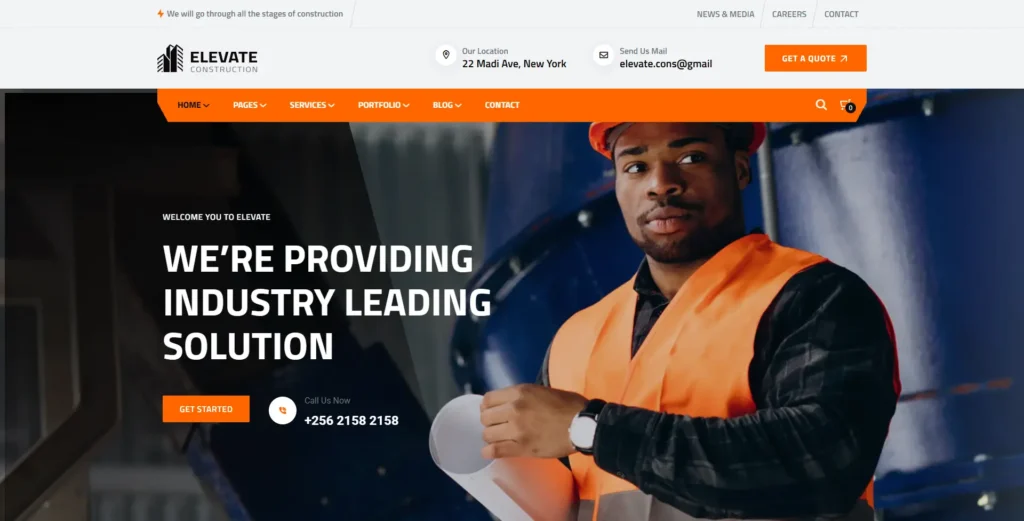
Elevate is built for the widest range of construction-adjacent businesses: general contractors, renovation companies, engineering firms, factories, architecture studios. The pitch isn’t a single great homepage — it’s that you’re not stuck with one.
The current listing runs 25+ installable demos, and the underlying build gives you Elementor customization, one-click import, several header/footer variations, and WPML/Polylang support if you need the site in more than one language.
What that actually means day to day: a general contractor picks a fairly traditional demo and moves on, while an engineering firm or industrial client can start from something already closer to their business instead of stripping construction-specific content out of a generic demo. That matters more than it sounds — reworking someone else’s homepage layout takes real time.
Where it’s a genuinely good fit: agencies building for multiple construction clients. Having 25 starting points means you’re not shipping the same layout to three different clients in the same city, which happens more than anyone admits.
Best for: construction companies, contractors, renovation firms, engineering companies, agencies.
2. Elever — narrower, but sharper
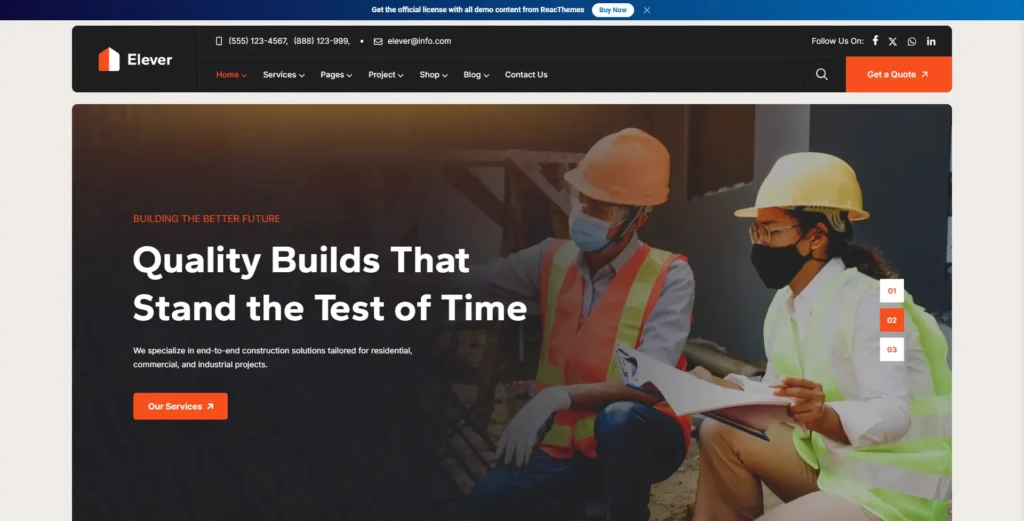
If Elevate’s strength is breadth, Elever’s is focus. It’s aimed at the same general audience — construction, renovation, engineering, handyman, architecture — but with 17+ demos and 60+ inner pages rather than trying to cover every possible construction subcategory.
The design language leans modern and conversion-focused: prominent stats, service blocks, and calls to action that are clearly built to get someone to request a quote rather than just admire the layout. It also supports WooCommerce, which matters if you’re selling anything alongside services — spare parts, consultation packages, whatever.
Pick this over Elevate when you don’t need two dozen visual directions to choose from — you just want a solid, modern contractor site without wading through demos that don’t apply to you.
Best for: contractors, builders, construction companies, renovation businesses, engineering firms.
3. Constructo — the veteran
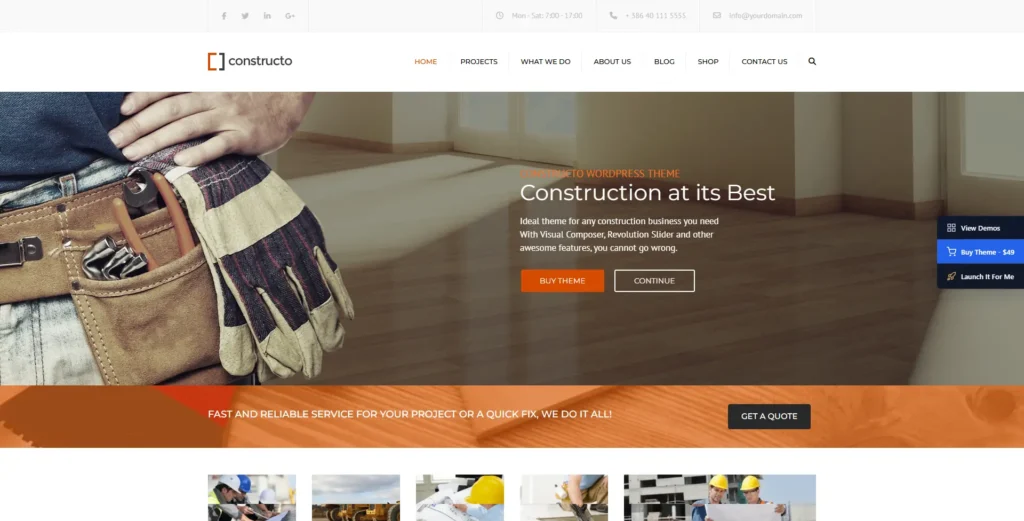
Constructo‘s been on ThemeForest for years, which in theme years is basically forever, and it’s sitting at over 7,000 sales. That kind of longevity usually means one of two things — either it’s genuinely solid, or it’s coasting on inertia. In this case it’s mostly the former: solid Elementor and WPBakery support, decent demo selection, and a layout structure that hasn’t needed much reinvention (hero, services, projects, team, testimonials, contact).
It’s not trying to be exciting. That’s kind of the point — if you want a construction site that looks like it was built by people who’ve done this before, rather than something experimental, Constructo delivers exactly that.
Best for: general contractors, established construction companies, industrial businesses.
4. Wilmër — for when the portfolio is the pitch
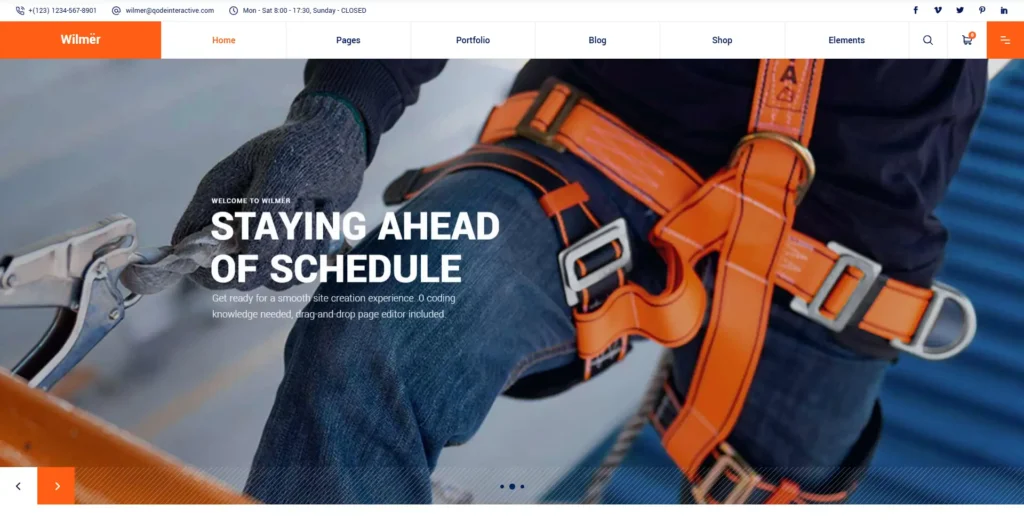
Not every construction business should look like a construction business, if that makes sense. Architecture studios and property developers usually sell on design sensibility more than “we finish on time,” and Wilmër is built with that in mind — Elementor and WPBakery support, but with the layout weight shifted toward project portfolios and property presentation rather than service lists.
Worth it specifically when your finished projects are your best sales material and you want them to actually look like it, instead of being crammed into a generic three-column grid.
Best for: architects, property developers, design-and-build firms, premium construction companies.
5. Renovate — built for trades, not corporate contracting
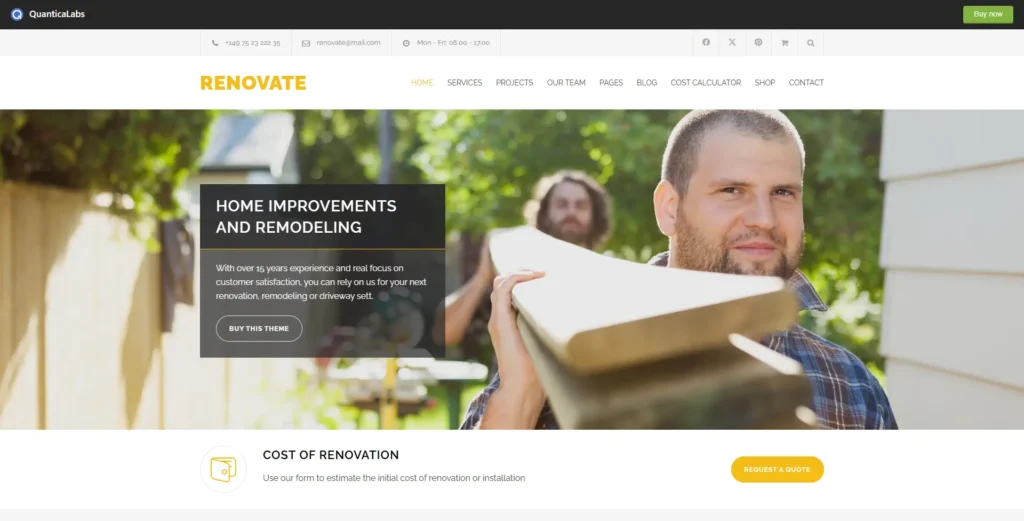
A commercial general contractor and a local electrician have almost nothing in common as businesses, and most “construction” themes quietly assume you’re the former. Renovate doesn’t — it’s aimed squarely at renovation companies, handymen, plumbers, electricians, roofers, HVAC.
The standout feature is a built-in cost calculator. For a lot of trade businesses, giving a visitor a rough estimate before they even call is worth more than another homepage demo — it pre-qualifies the lead and saves everyone a phone call that goes nowhere.
Best for: renovation companies, handymen, electricians, plumbers, roofers, home-maintenance businesses.
6. Rebuilto — contractor-meets-engineering
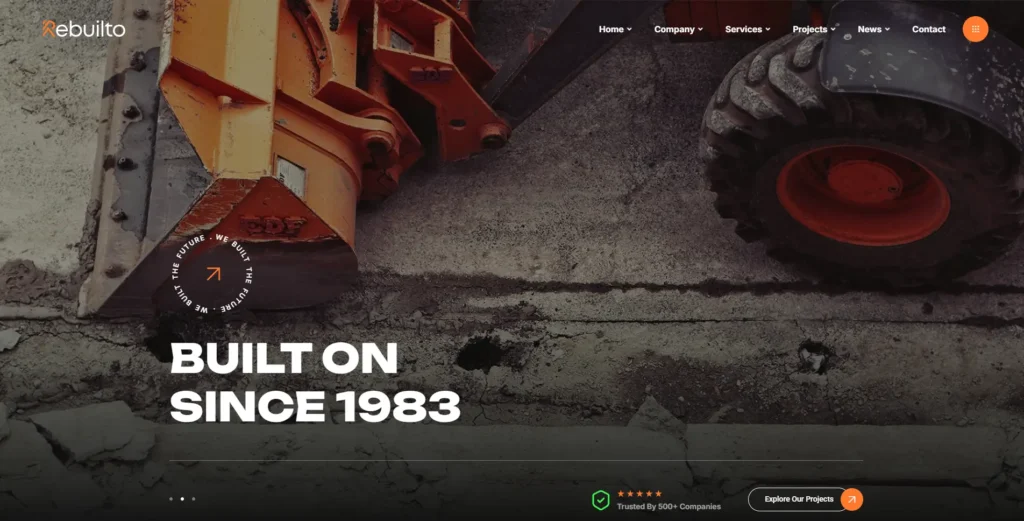
Rebuilto sits in a specific gap: too technical for a typical contractor theme, not quite as dry as a pure engineering-firm site. It ships with 8+ construction demos and Elementor support, and the overall tone reads more corporate-professional than “we build houses,” which is exactly right if your business genuinely is somewhere between the two.
Best for: construction contractors, engineering businesses, building companies.
7. Graviton — the other “lots of demos” option
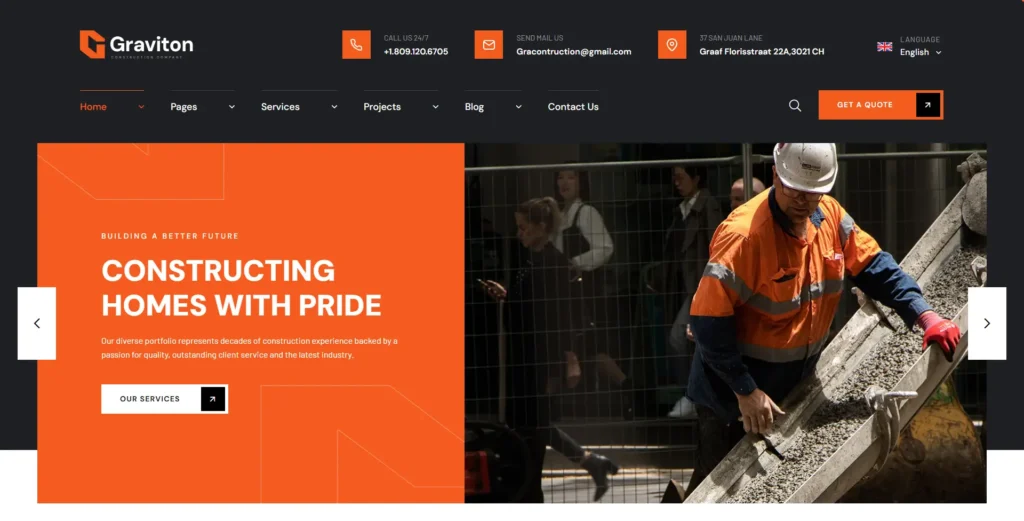
Graviton plays a similar game to Elevate — 20+ installable demos covering construction, renovation, and handyman work, all Elementor-based with one-click import. If you’re an agency and Elevate’s specific design language doesn’t match a particular client’s brand, Graviton is worth checking as a second source of starting points before you build something from a blank canvas.
Best for: construction agencies, contractors, renovation companies, freelancers building for multiple clients.
8. Koncrete — does less, but does it cleanly
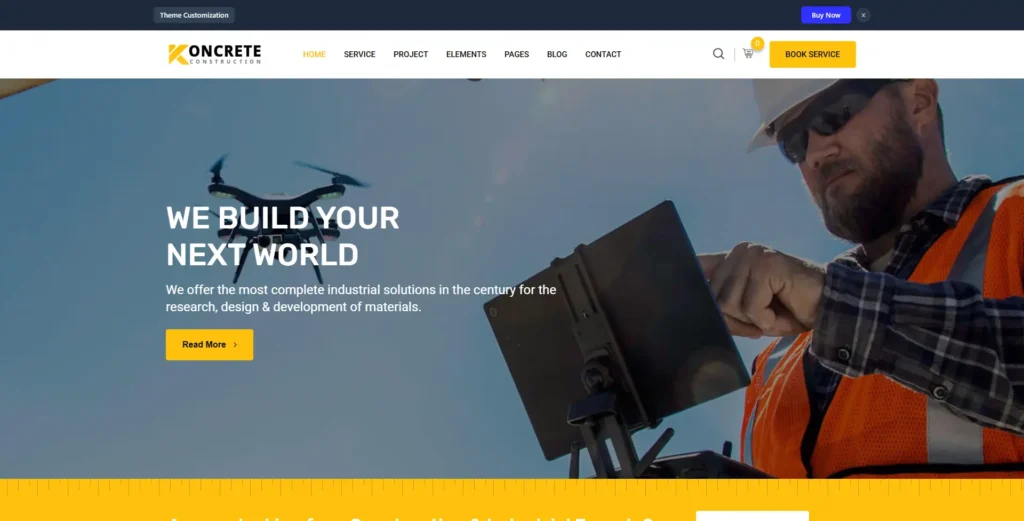
Koncrete isn’t trying to impress you with demo count — four premade homepages, standard service and project layouts, a header/footer builder, WPML support. That’s genuinely it.
For a lot of smaller construction businesses that’s actually the right amount of theme. You don’t need 25 demos when you’re only ever going to use one of them; you need the handful of pages that matter to load fast and not fight you during setup.
Best for: builders, contractors, industrial companies, smaller construction businesses.
9. Real Factory — when “construction theme” isn’t quite right
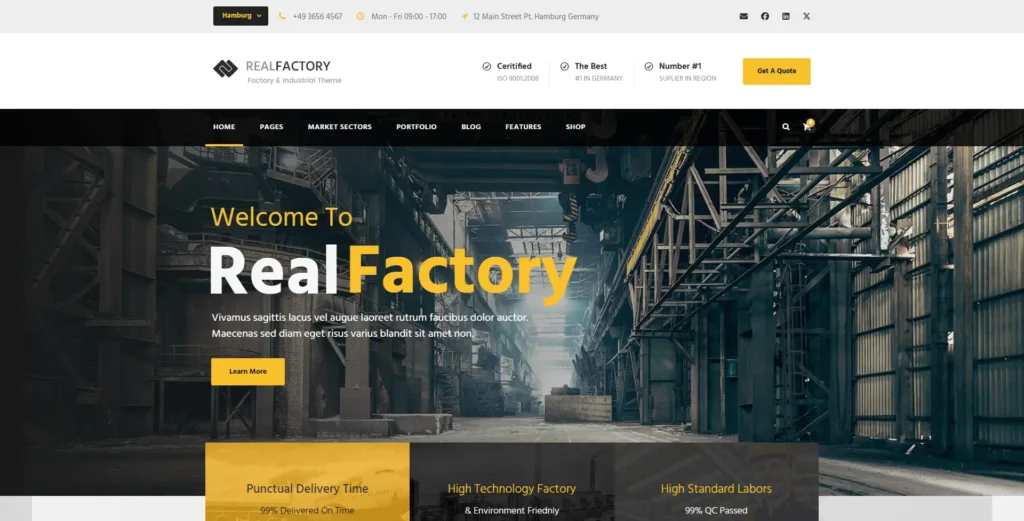
Some businesses land on “construction WordPress theme” as a search term when what they actually run is a factory, a manufacturing operation, or heavy industrial equipment — and most themes on this list, including our own, lean residential-and-commercial in tone. Real Factory doesn’t. It’s got over 3,000 sales and a visual identity built around industrial capability rather than finished-home photography.
Best for: factories, manufacturing companies, engineering firms, industrial contractors.
10. Konstruktion — the premium end
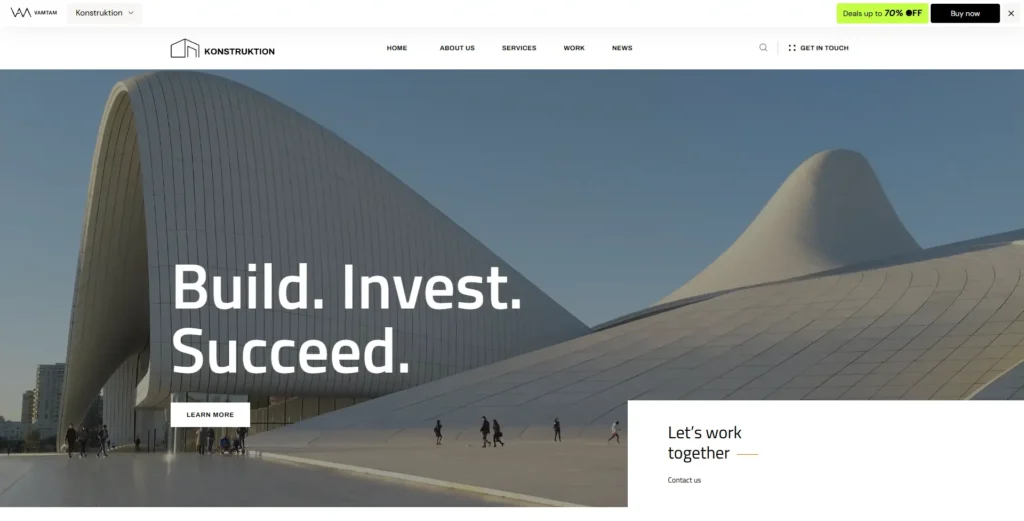
Konstruktion is the most polished-looking theme on this list, full stop. Elementor and Elementor Pro support, strong visual hierarchy, and a design direction clearly built for firms where the brand needs to say “expensive” before a visitor reads a single word.
A luxury home builder and a general handyman service should not look the same online, and Konstruktion is specifically for the former. Its ThemeForest listing was still getting updates as recently as September 2026, which is worth checking on any theme this design-forward — polish ages badly if the developer stops maintaining it.
Best for: luxury builders, architects, property developers, design-led construction companies.
What actually matters when you’re choosing
More demos isn’t automatically better. Before you buy anything, it’s worth being honest about what the site needs to do.
A real project portfolio, not a photo dump. Individual project pages — photos, location, client, scope of work, completion date — do more to build trust than a generic gallery. Anyone can post before/after photos; fewer contractors bother structuring them into an actual case study, so doing it properly is a cheap way to stand out.
Service pages that don’t try to cover everything at once. Splitting general contracting, roofing, renovation, and maintenance into separate pages isn’t just cleaner for visitors — each page can target a more specific search term, which quietly helps SEO without you doing anything extra.
A page builder your team can actually use. Most of the list runs on Elementor, a couple support WPBakery too. If you already know one of these, pick a theme that matches — the learning curve difference is real, especially if non-developers will be the ones updating the site.
An obvious next step. “Request a Quote,” “Get an Estimate,” whatever wording fits your business — just don’t bury the only contact button at the bottom of a long page. If someone has to scroll past your entire company history to find out how to reach you, you’ve already lost some of them.
Mobile that’s actually been checked, not just “responsive” on paper. A meaningful chunk of your traffic is someone standing on a job site or a driveway on their phone. Pull up the live demo on your own phone before buying — check the nav, the forms, the project gallery specifically, since galleries are usually where mobile layouts break first.
One-click demo import. Not a dealbreaker, but it saves real hours. Swap the logo, replace demo projects with yours, update the services, adjust the colors — that’s a much shorter path than starting from a blank install.
Quick picks
- Want the biggest library of construction-specific demos: Elevate
- Want something modern and focused without wading through options: Elever
- Want a proven, traditional theme with a long history: Constructo
- Portfolio and photography matter more than service lists: Wilmër
- You’re a trade business, not a commercial contractor: Renovate
- You sit between contracting and engineering: Rebuilto
- You want a second source of demo variety: Graviton
- You want the basics done cleanly, nothing extra: Koncrete
- You’re industrial or manufacturing, not residential: Real Factory
- Your brand needs to look expensive: Konstruktion
Do you actually need a construction-specific theme?
Not strictly, no. You could build all of this on a generic business theme — services, projects, team, quote form, from scratch.
The difference is just how much of that you’re building yourself versus starting with. A generic theme means designing every section before you’ve written a word of real content. A construction theme means importing a demo, swapping in your branding and photos, and launching — which for most contractors, small agencies, and single-location businesses is a meaningfully shorter path.
If you’ve got a big budget and a very specific vision, starting from a blank canvas can be worth it. For most of the businesses reading this, it probably isn’t.
Pages your site needs regardless of theme
Whichever theme you land on, these are the pages that actually carry weight:
- Home — what you do, who you do it for, why they should trust you
- About — experience, certifications, team, history
- Services — enough room per service to actually explain it, not a bullet list
- Projects — real completed work, not stock photos
- Individual project pages — more context than a gallery gives you
- Team — especially worth it for architecture firms and larger contractors
- Testimonials — real ones, ideally with names and locations
- Contact / Request a Quote — obvious, not buried
Depending on the business, you might also need service-area pages, a careers page, certifications, an FAQ, or booking for consultations.
Common questions
What’s actually the best one?
Depends what you run. For breadth, Elevate. For a modern, focused build, Elever. If you’re niche — architecture, home services, industrial — the specialist options above (Wilmër, Renovate, Real Factory) usually beat a generalist theme even if they have fewer demos.
Is Elementor a good fit for this kind of site?
Yes, and it’s worth prioritizing if non-developers on your team will be updating pages. Most of the themes here — Elevate, Elever, Constructo, Rebuilto, Graviton, Koncrete — support it.
Can I sell products alongside services?
Some of these support WooCommerce (Elever, for instance) — worth checking current compatibility on the specific theme’s listing before buying, since this changes with updates.
Should I list prices?
If every job is custom-scoped, a quote request usually converts better than a price list — fixed numbers on a custom-quote business tend to undersell or overpromise. If your services are more standardized, showing a starting price or range can actually filter out unqualified leads before they contact you.
Are premium themes worth paying for over a free one?
Usually, if you value your own time. You’re not just paying for how it looks — you’re paying for pre-built project layouts, custom widgets, demo content, and support when something breaks. Whether that’s worth $50–100 depends entirely on how much of that you’d otherwise be building or troubleshooting yourself.
The actual bottom line
The best theme here isn’t the one with the longest feature list — it’s the one that matches what your specific business needs to show. A small renovation outfit cares about before/afters and a fast quote form. An engineering firm needs technical project pages. An architecture practice lives or dies on photography. A larger contractor probably needs all of it.
If you want the broadest starting point, Elevate is the one to look at first. If you’d rather skip past the demo-browsing and get something more focused, Elever is the shorter path.
Whichever you pick, spend your actual effort on the things visitors care about — real projects, clear services, and getting them to a quote request in under two clicks. The theme just needs to stay out of the way of that.