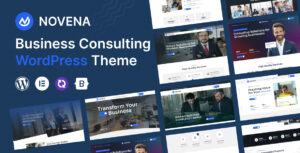



Most consulting websites run into the same problem.
The theme looks impressive in the demo, but once the real business content goes in, things start to fall apart. Service pages feel too basic, case studies do not have the right structure, important calls to action get lost, and a supposedly professional design starts looking more like a generic startup landing page.
That is exactly the problem we wanted to solve with Invena business consulting WordPress theme.
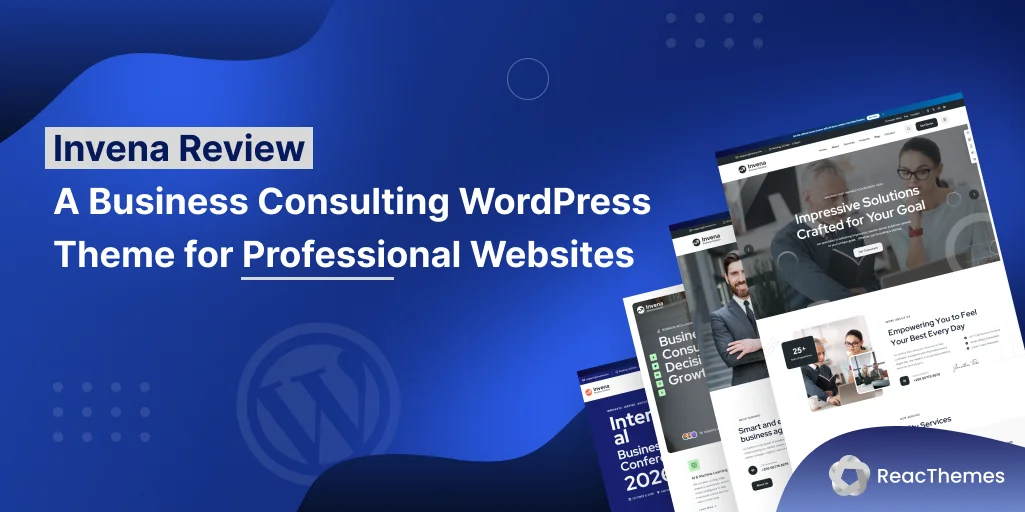
Invena is a Business Consulting Elementor WordPress Theme built by ReacThemes for consulting firms, financial companies, digital agencies, HR businesses, coaches, insurance companies, SaaS consultancies, and other professional service businesses.
And before we go any further, a quick disclosure:
We’re ReacThemes, and we built Invena.
So this is an inside review rather than an independent review. We know the theme better than anyone, but we also want to be clear about where it works well, where it does not fit, and who should consider a different solution.
If you want an Elementor-based professional business website without starting from a completely blank canvas, Invena gives you a large collection of ready-made designs and business-focused layouts.
If your priority is a native Gutenberg or Full Site Editing workflow, however, Invena probably is not the right choice.
Let’s take a closer look.
Invena at a Glance
Here is a quick overview of what Invena offers.
| Feature | Details |
|---|---|
| Page Builder | Elementor |
| Homepage Demos | 46+ |
| Demo Import | One-click |
| WooCommerce | Supported |
| Multilingual | WPML compatible |
| RTL Support | Yes |
| Framework | Bootstrap 5 |
| Slider Plugin | Slider Revolution |
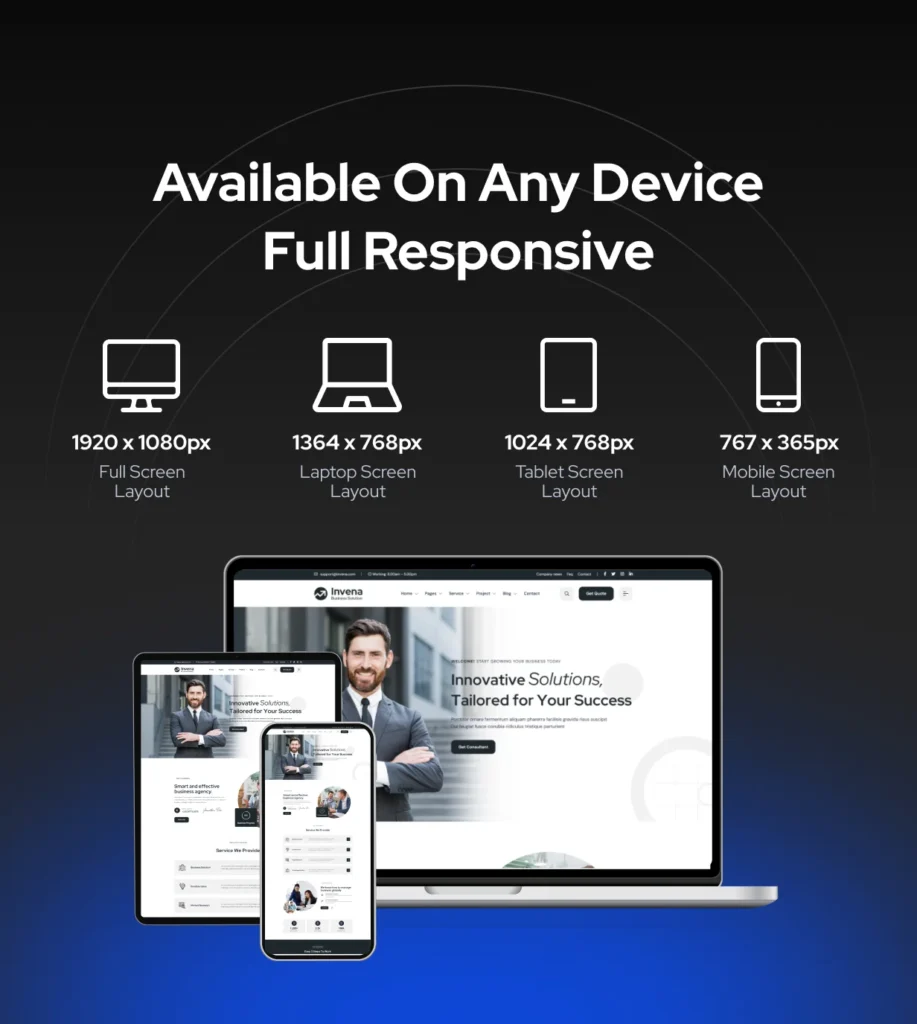
| Responsive | Yes |
| Template Library | Yes |
| Gutenberg / FSE | Not optimized |
| Regular License | $59 on ThemeForest at the time of writing |
| Latest Update | September 3, 2026 |
The feature list is useful, but the real question is whether these features actually make building a professional business website easier.
That is where Invena becomes more interesting.
Who Is Invena Built For?
Invena works best for businesses whose website has a clear goal:
Build trust, explain services, and turn visitors into enquiries or customers.
That includes businesses such as:
- Business consulting firms
- Management consultants
- Startup advisers
- Financial advisers
- Accounting firms
- Insurance companies
- Marketing agencies
- Digital agencies
- HR and recruitment companies
- Business coaches
- SaaS consultants
- Technology consultancies
- Corporate service businesses
- Freelancers and WordPress agencies building websites for professional clients
Invena could technically be described as a multipurpose theme, but we prefer to think of it as multipurpose within the professional-services category.
You are not going to find restaurant, wedding, gaming, fashion, and travel demos simply added to increase the number.
That focus is deliberate.
When most of the demos are relevant to the type of website you are actually building, choosing a starting point becomes much easier.
48+ Ready-Made Homepage Demos
The demo collection is one of the biggest reasons people choose Invena.
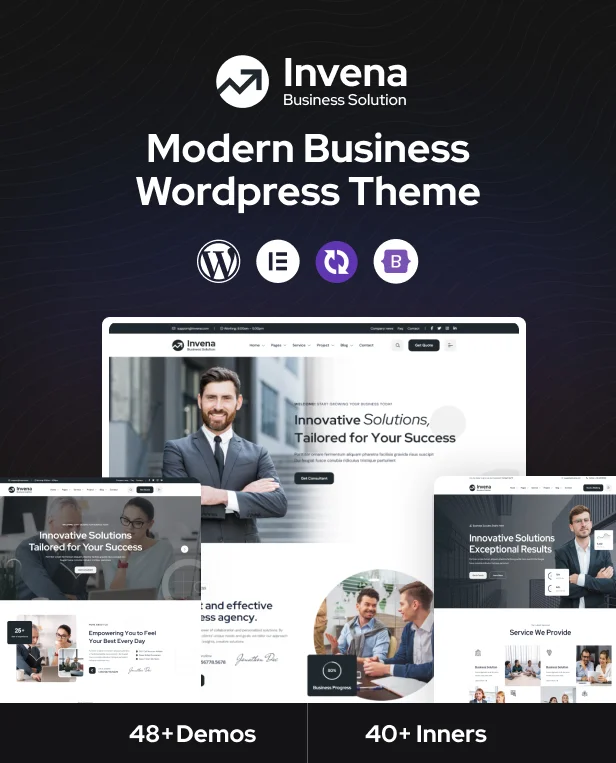
Invena includes 48+ homepage demos, covering different styles of consulting and professional business websites.
Some layouts use a more traditional corporate style, which may suit financial companies, consulting firms, insurance businesses, or established professional organizations.
Others feel more modern and creative, making them suitable for digital agencies, SaaS consultancies, marketing companies, and startups.
The biggest advantage is not simply having dozens of designs.
It is having multiple starting points without needing to learn a completely different workflow every time you build another business website.
Pick a Demo by Structure, Not Color
This is one piece of advice we regularly give users.
Choose your demo based on structure rather than colors.
If your company uses green but the demo uses blue, that is easy to change.
Fonts and brand colors can be updated through global settings.
What takes more time is rebuilding an entire homepage because the section order does not suit your content.
Before importing a demo, look at:
- Hero structure
- Service presentation
- About section
- Statistics
- Case studies
- Testimonials
- Team layout
- Pricing
- Calls to action
- Contact section
Choose the demo that matches how you want to communicate your business.
Then customize the branding.
That approach usually saves much more time.
Complete Inner Pages, Not Just Homepages
A homepage alone does not make a professional business website.
Most consulting and corporate sites also need pages for services, individual service details, projects, team members, company information, contact details, and content marketing.
Invena includes matching inner-page designs for areas such as:
- About Us
- Services
- Service Details
- Team
- Team Details
- Projects
- Project Details
- Case Studies
- Pricing
- Testimonials
- FAQ
- Blog
- Blog Details
- Contact
- Shop
- Product Pages
This becomes especially useful when building larger websites.
You do not have to create every page design from scratch and then manually try to make typography, spacing, buttons, and visual elements look consistent.
The pages are already designed around the same overall visual system.
Editing Invena With Elementor
Invena is built around Elementor.
That means most page customization can be handled visually rather than by editing PHP templates.
You can modify:
- Text
- Images
- Backgrounds
- Buttons
- Columns
- Sections
- Spacing
- Typography
- Icons
- Service areas
- Team sections
- Pricing tables
- Testimonials
- Calls to action
- Contact sections
- Desktop layouts
- Tablet layouts
- Mobile layouts
For someone already familiar with Elementor, working with Invena should feel natural.
There are three areas that are particularly useful when customizing a complete site.
Global Colors and Typography
One of the first things you should do after importing a demo is apply your brand styling.
Rather than editing every button or heading manually, global colors and typography help you establish a consistent design system.
For example, if a demo uses blue and your company’s primary brand color is orange, you can update the overall styling without manually finding every individual element.
The same applies to fonts.
Keeping typography consistent across headings, body text, buttons, navigation, and other components makes the final website feel significantly more professional.
Template Library
Invena also includes a built-in Template Library that makes it easier to reuse professionally designed sections without importing an entire demo.
For example, you may already like your current homepage but want to add a section from another Invena design. Instead of importing another full demo or rebuilding the layout manually, you can insert the section you need directly from the template library.
You can reuse sections such as:
- Hero layouts
- Testimonial sections
- Pricing tables
- Service sections
- About sections
- Team layouts
- Call-to-action blocks
- Contact sections
This gives you much more flexibility when creating a customized business website.
It is especially useful for agencies and freelancers because you can combine different sections and create unique layouts for different clients instead of making every website look the same.
See the Invena Template Library in Action
Want to see how it works?
Watch our step-by-step video tutorial to learn how to browse the Invena Template Library, choose a ready-made section, and import it directly into your page.
You can also explore the Invena Business Consulting WordPress Theme to see the available designs and features.
Header and Footer Customization
Your header is often one of the most important parts of a professional website.
Depending on your business, you may want to include:
- Company logo
- Main navigation
- Phone number
- Contact details
- Search
- Social links
- CTA button
- Mobile navigation
Likewise, the footer can contain:
- Company information
- Service links
- Useful pages
- Contact information
- Social profiles
- Newsletter forms
- Legal links
Invena gives you the flexibility to build these areas around the requirements of your business rather than locking you into a single header design.
One-Click Demo Import
For many users, starting from the finished demo is much easier than starting from an empty Elementor page.
Invena includes one-click demo import.
The typical workflow looks like this:
- Install and activate Invena.
- Install the required plugins.
- Choose your preferred demo.
- Import the demo.
- Replace the logo.
- Update images and content.
- Apply your brand colors and fonts.
- Customize your services and team.
- Update calls to action.
- Publish the site.
The key thing to remember is that a demo is a starting point, not a finished website.
If you import the demo and only replace the logo, your site is still going to look like the demo.
For a professional result, we recommend changing at least:
- Website copy
- Images
- Brand colors
- Typography
- Team information
- Services
- Testimonials
- Calls to action
That is what turns a pre-built design into your own business website.
WooCommerce Support
Invena supports WooCommerce, which gives professional businesses the option to add eCommerce functionality.
For example, you could sell:
- Consulting packages
- Business templates
- Digital reports
- Books
- Courses
- Downloadable resources
- Fixed-price services
- Physical products
You may never need an online store when you first launch your consulting website.
But having WooCommerce compatibility means you have room to expand later.
That said, Invena is fundamentally a business and consulting theme.
If you are building a very large WooCommerce-first store where shopping is the entire purpose of the website, a specialized WooCommerce theme may be a better choice.
Multilingual Support With WPML
Professional businesses increasingly serve clients across multiple countries and languages.
Invena supports WPML, making it possible to build multilingual versions of your website.
This can be especially valuable for:
- International consultants
- Global agencies
- Financial companies
- SaaS businesses
- Export businesses
- Corporate organizations
Instead of forcing every visitor to use the same language, you can provide localized versions of important pages.
RTL Support
Invena also supports right-to-left layouts.
That makes it suitable for websites using languages such as Arabic or Hebrew.
Without proper RTL compatibility, creating a professional right-to-left website can require a lot of manual CSS work.
Having the layout direction supported from the beginning provides a much better starting point.
Slider Revolution
Slider Revolution is bundled with Invena for users who want more advanced sliders, animated hero areas, and visual presentations.
You can use it for:
- Homepage sliders
- Animated banners
- Promotional areas
- Product presentations
- Interactive hero sections
However, there are two things users should understand about bundled premium plugins.
First, bundled plugin updates normally come through theme updates.
Second, purchasing Invena does not mean you receive a separate Slider Revolution license from the plugin developer.
And one more practical point:
You do not need to use Slider Revolution just because it is included.
Many consulting websites work extremely well with a simple static hero.
In some situations, a simpler hero may even provide a cleaner user experience and reduce unnecessary page weight.
Use the slider when the design actually benefits from it.
Responsive Design
Your consulting website is likely to receive visitors from multiple devices.
That includes:
- Desktop computers
- Laptops
- Tablets
- Smartphones
Invena is responsive, and Elementor also gives you device-specific controls.
You can adjust things such as:
- Typography size
- Margins
- Padding
- Column widths
- Alignment
- Element visibility
- Section spacing
This is important because a desktop design should not simply be squeezed into a smaller screen.
For example, a large desktop heading may need to become significantly smaller on mobile, while a three-column services area may need to stack vertically.
Responsive controls allow you to fine-tune these details.
Performance: What You Should Actually Know
Performance is important.
But we do not want to make unrealistic claims such as saying a theme alone guarantees a specific PageSpeed score.
It does not.
Invena uses Bootstrap 5 and follows standard practices for modern WordPress websites, but your final performance will also depend heavily on:
- Hosting
- Image sizes
- Caching
- Number of plugins
- Fonts
- Third-party scripts
- Tracking scripts
- Video embeds
- Slider usage
- Your page content
There are also several practical things you can do after importing Invena.
Delete Demo Content You Don’t Need
An imported demo may contain pages and images that are not part of your final site.
Remove unnecessary content once you finish building.
Optimize Your Images
Large uncompressed images can slow down almost any WordPress website.
Resize and compress images before or during upload.
Don’t Use Sliders Everywhere
If a page does not need an animated slider, do not add one simply because the option exists.
Use Caching
A good caching setup can make a major difference to real-world loading performance.
Keep Fonts Under Control
Using one or two font families is normally enough for a professional business website.
Loading multiple unnecessary font families and weights adds extra requests.
The important takeaway is simple:
Performance is the result of the complete website setup, not the theme alone.
Why Invena Works Well for Agencies and Freelancers
Invena can be particularly useful for WordPress agencies and freelancers.
Imagine that this month your client is a financial adviser.
Next month, you need to build a website for a digital marketing consultancy.
Then another customer comes in with an HR business.
With Invena, you can work with different professional-business demos while keeping the same Elementor-based workflow.
That means your team does not need to learn a completely new theme for every client project.
At the same time, the combination of multiple demos, reusable templates, and Elementor customization means the finished sites do not all need to look the same.
A Note About Licensing
A regular ThemeForest license covers one end product.
If you are building websites for multiple clients, each client website requires the appropriate license.
Updates and Ongoing Development
A WordPress theme is not something that should be released once and then forgotten.
WordPress changes.
Elementor changes.
WooCommerce changes.
PHP changes.
Browsers change.
That is why ongoing maintenance matters.
Since release, Invena has received updates covering areas such as:
- New demos
- Elementor compatibility
- WooCommerce compatibility
- Responsive improvements
- WPML-related fixes
- Demo import improvements
- Bundled plugin updates
- General fixes and refinements
At the time of writing, the latest update is dated September 3, 2026.
For a business website you expect to keep online for years, active maintenance should be part of your theme-selection decision.
Invena Pricing
At the time of writing, Invena is available on ThemeForest for $59 under the regular license.
The ThemeForest license includes:
- Invena WordPress Theme
- Future theme updates
- Six months of support from ReacThemes
You can extend the support period if needed.
Pricing and promotions can change over time, so check the latest listing or the official Invena product page before purchasing.
Invena Pros and Cons
No WordPress theme is the right choice for every website.
Here is where we think Invena performs well and what you should consider before buying it.
What Invena Does Well
46+ business-focused demos
The demos are centered around professional services rather than unrelated industries.
Complete inner pages
You get much more than a collection of homepage designs.
Elementor customization
Pages can be customized visually without rebuilding templates through code.
Reusable template library
Sections from different designs can be combined to create a more customized site.
Global colors and typography
Rebranding a demo is much faster when you can control core styling globally.
WooCommerce support
You have the flexibility to add products or paid services later.
WPML compatibility
Useful for multilingual companies and international businesses.
RTL support
A major benefit if your website needs a right-to-left language.
Responsive controls
You can fine-tune layouts across desktop, tablet, and mobile.
Ongoing updates
The theme continues to receive improvements and new designs.
What You Should Consider
It Is Elementor-Focused
If you want to build your entire website with native Gutenberg blocks and Full Site Editing, Invena is not designed for that workflow.
There are better choices for a Gutenberg-first website.
48+ Demos Can Feel Like a Lot
More choice is useful, but it can also make deciding harder.
Again, our recommendation is simple:
Pick by structure, not by color.
Slider Revolution Has Bundled Plugin Limitations
Slider Revolution is included, but that is not the same as purchasing a standalone Slider Revolution license.
Demo Import Is Not Website Personalization
Importing a demo gets you started.
It does not replace the work of creating good content, selecting the right imagery, applying your brand, and tailoring the site to your customers.
Who Should Skip Invena?
Invena is not intended to be everything for everyone.
You should probably choose a different solution if your main requirement is:
- A Gutenberg block theme
- Full Site Editing
- A magazine or news portal
- A dedicated LMS
- A large WooCommerce-first store
- A highly specialized directory marketplace
These types of websites usually benefit from solutions built specifically around those requirements.
Is Invena Worth It in 2026?
For the type of website it is built for, we believe Invena offers strong value.
The biggest selling point is not simply that it has 46+ demos.
It is that most of those demos are relevant to businesses selling expertise and professional services.
You already have access to layouts designed around:
- Services
- Case studies
- Business statistics
- Teams
- Testimonials
- Pricing
- Contact areas
- Calls to action
That can dramatically reduce the amount of design work required before you begin adding your actual content.
For freelancers and agencies, the range of demos also means Invena can work across multiple client industries without forcing you to change your entire workflow.
Final Verdict
Invena is not trying to be everything.
And we think that is one of its strengths.
It is a focused Elementor WordPress theme for consulting firms and professional businesses that need a website designed to establish trust, explain services, showcase expertise, and generate enquiries.
The 46+ demos get attention, but the deeper value comes from the fact that those demos are built around real professional-business website requirements.
If you need:
- Elementor editing
- Business-focused demos
- Complete inner pages
- WooCommerce compatibility
- Multilingual support
- RTL layouts
- Responsive customization
- Reusable templates
- Ongoing updates
then Invena is worth considering.
And if you want Gutenberg or Full Site Editing instead, we would recommend choosing a theme specifically designed around that workflow.
That is the trade-off.
For professional service businesses that prefer Elementor, Invena gives you a strong starting point without forcing you to build every page from scratch.
Explore Invena – Business Consulting WordPress Theme →
Frequently Asked Questions About Invena
What is Invena?
Invena is a premium Elementor WordPress theme developed by ReacThemes for business consulting, finance, agencies, HR companies, coaches, SaaS consultancies, insurance companies, and other professional service businesses.
How many demos does Invena include?
Invena currently includes more than 46 homepage demos covering different professional-business styles and niches.
Does Invena use Elementor?
Yes. Invena is designed around Elementor for visual page editing and customization.
Do I need coding knowledge to use Invena?
No.
You can import a demo and customize most page content through Elementor.
Basic WordPress knowledge is still useful, particularly for plugin installation, menus, settings, and general site management.
Can I mix sections from different Invena demos?
Yes.
The template library makes it possible to use individual sections and templates instead of being limited to a single complete demo design.
Does Invena support WooCommerce?
Yes.
You can use WooCommerce with Invena if you want to sell products, digital resources, consulting packages, or other paid offerings.
Can I create a multilingual website with Invena?
Yes.
Invena is compatible with WPML for multilingual WordPress websites.
Does Invena support RTL languages?
Yes.
Invena includes RTL support for languages written from right to left.
Is Slider Revolution included?
Yes.
Slider Revolution is bundled with Invena. However, it does not include a separate standalone license from the Slider Revolution developer.
Is Invena a Gutenberg theme?
Invena can still use the WordPress block editor for content such as blog posts, but its main website-building workflow is based on Elementor.
If you specifically want Gutenberg and Full Site Editing for your entire website, you should choose a Gutenberg-first solution.
Can I use one Invena license for multiple client websites?
A regular ThemeForest license covers one end product.
For multiple client websites, you need the appropriate license for each project.
How much does Invena cost?
At the time of writing, the ThemeForest regular license is $59 and our official site price is only $39.
Pricing can change, so always check the latest price before purchasing.