
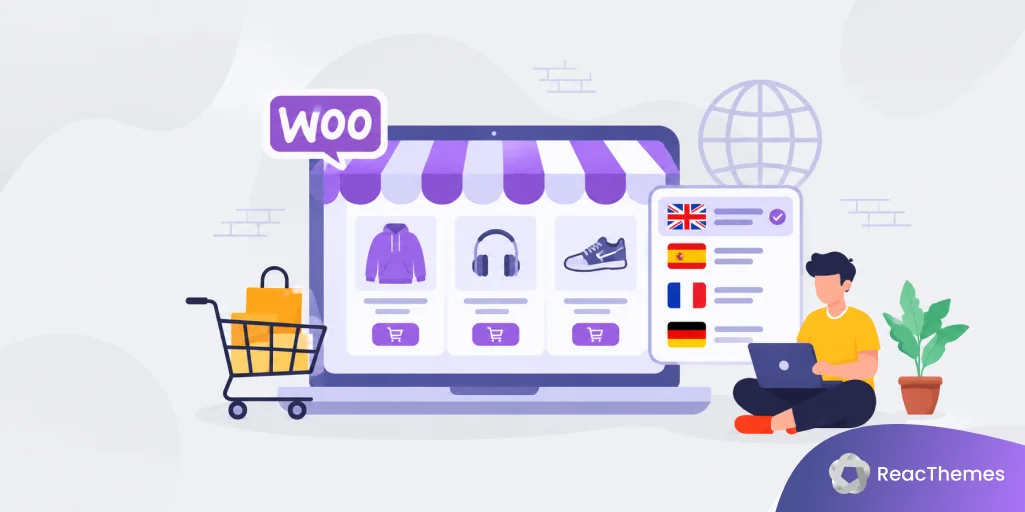
Selling products globally with WooCommerce requires more than translating your website. If customers cannot find your products in their own language, your store is missing valuable search traffic.
WooCommerce multilingual SEO helps your store rank in different languages, reach international buyers, and create a better shopping experience for customers worldwide.
In this blog post, you will learn how to optimize WooCommerce for multiple languages and improve your international sales.
What Is WooCommerce Multilingual SEO?
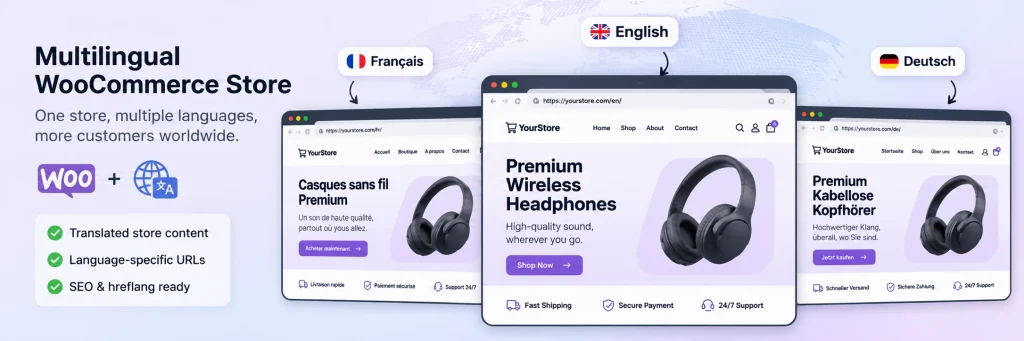
WooCommerce multilingual SEO is the process of optimizing your online store so customers can find and buy products in different languages.
It includes:
- Translating product pages
- Optimizing keywords for each market
- Creating SEO-friendly URLs
- Translating metadata
- Setting up hreflang tags
- Localizing checkout and customer experience
A multilingual store should not only translate words. It should adapt content for how people search and shop in each country.
Why Multilingual SEO Matters for WooCommerce Stores
1. Reach New Customers
Most shoppers prefer buying from websites in their own language.
For example:
An English customer searches:
“running shoes for men”
A French customer searches:
“chaussures running homme”
A German customer searches:
“Herren Laufschuhe”
The product is the same, but the search behavior is different.
By optimizing your store for multiple languages, you can appear in more search results.
2. Increase Organic Traffic
Each language version creates new ranking opportunities.
A product page can target different keywords:
English:
- wireless headphones
- noise cancelling headphones
Spanish:
- auriculares inalámbricos
- auriculares con cancelación de ruido
German:
- kabellose Kopfhörer
- Noise Cancelling Kopfhörer
Your WooCommerce store can attract visitors from multiple markets without creating separate websites.
How to Create a Multilingual WooCommerce Store
1. Choose a WooCommerce translation plugin
WooCommerce needs a multilingual plugin to manage translations.
Popular options include:
- WPML
- TranslatePress
- Polylang
A good multilingual plugin should support:
- Product translations
- Categories
- Variations
- Checkout pages
- SEO metadata
- Language URLs
For example, WPML supports WooCommerce product translations, multilingual checkout, and SEO elements such as translated metadata and hreflang management. WPML
2. Translate Product Pages Properly
Your product pages are the most important SEO pages in your store.
Translate:
Product Title
Do not translate word-for-word.
Example:
English:
“Leather Wallet”
Better localized version:
French:
“Portefeuille en cuir homme”
The keyword structure changes depending on the market.
Product Description
Translate:
- Features
- Benefits
- Specifications
- Shipping information
- FAQs
Avoid automatic translations without editing. Poor translations reduce customer trust.
Product Categories
Category pages often rank for competitive keywords.
Example:
English:
/running-shoes/
Spanish:
/zapatillas-running/
German:
/laufschuhe/
Translated categories help search engines understand your target audience.
3. Optimize Multilingual URLs
Your URLs should clearly show the language version.
Example:
English:
example.com/product/wireless-headphones/French:
example.com/fr/produit/casque-sans-fil/German:
example.com/de/produkt/kabellose-kopfhoerer/Language-specific URLs improve user experience and help search engines understand your content structure. WPML
4. Use hreflang Tags
hreflang tells Google which language version of a page should appear for different users.
Example:
<link rel="alternate" hreflang="en" href="example.com/product/shoes/" />

<link rel="alternate" hreflang="fr" href="example.com/fr/produit/chaussures/" />
Without hreflang, search engines may show the wrong language page or struggle to understand your translations.
Multilingual SEO plugins can automatically manage hreflang signals across translated pages. WPML
5. Translate SEO Metadata
Many WooCommerce stores translate product content but forget SEO settings.
You should translate:
SEO Title
Before:
“Buy Premium Coffee Beans Online”
After:
“Comprar Café Premium Online”
Meta Description
Before:
“Fresh roasted coffee beans delivered worldwide.”
After:
“Compra café recién tostado con envío internacional.”
Image Alt Text
Before:
“black leather bag”
After:
“bolso negro de cuero”
Translated SEO elements help your pages compete in local search results.
6. Perform Keyword Research for Each Language
Do not simply translate English keywords.
Search behavior changes by country.
Example:
English:
“phone case”
French:
“coque téléphone”
German:
“Handyhülle”
Spanish:
“funda móvil”
Use keyword research tools to understand:
- Search volume
- Competition
- Buyer intent
- Local terminology
The best keyword is the one customers actually use.
7. Localize the Shopping Experience
Translation alone is not enough.
International customers expect:
- Local currency
- Local payment methods
- Local shipping information
- Local measurements
- Customer support in their language
Example:
A US customer expects:
$49.99
A European customer may expect:
€45.99
Small localization improvements can increase conversions.
WooCommerce Multilingual SEO for AI Search (AEO + GEO)
Search is changing. Customers now ask AI tools questions before buying.
Examples:
“Which headphones are best for travel?”
“What is the best laptop for students?”
“Where can I buy organic skincare?”
To appear in AI-generated answers, your product pages should include:
Clear Product Information
Include:
- Product features
- Benefits
- Specifications
- Use cases
FAQ Sections
Example:
Q: Are these headphones good for flights?
A: Yes, they include active noise cancellation designed to reduce airplane and background noise.
Comparison Content
Create pages like:
- Best Running Shoes for Beginners
- Wireless Headphones Comparison
- Product A vs Product B
AI systems prefer content that directly answers customer questions.
Common WooCommerce Multilingual SEO Mistakes
Mistake 1: Using Automatic Translation Only
Machine translation can create unnatural product descriptions.
Always review important pages.
Mistake 2: Translating Only the Homepage
A complete multilingual store needs:
- Products
- Categories
- Checkout
- Emails
- Navigation
- SEO metadata
Mistake 3: Ignoring Local Keywords
Customers in different countries search differently.
Research every market separately.
WooCommerce Multilingual SEO Checklist
✅ Install a multilingual WooCommerce plugin
✅ Translate products and categories
✅ Optimize translated URLs
✅ Add hreflang tags
✅ Translate SEO titles and descriptions
✅ Research local keywords
✅ Localize checkout experience
✅ Add FAQs and structured product content
✅ Monitor rankings in each language
Final Thoughts
WooCommerce multilingual SEO helps your store reach customers beyond your local market. A successful international store does not just translate products. It creates a shopping experience that matches each customer’s language, search habits, and expectations.
By combining translation, SEO optimization, localization, and AI-friendly content, your WooCommerce store can attract more visitors and generate more sales worldwide.