



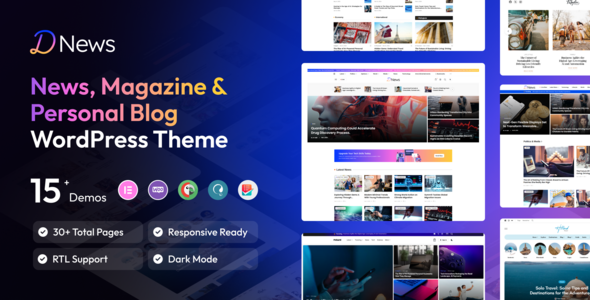
Dnews - News Magazine & Newspaper WordPress Theme
Why Chose Dnews – News Magazine WordPress Theme
- Buy One Time & Get Free Updates Lifetime.
- Elementor: Most popular 1 Drag & Drop Frontend and faster Editor.
- Premium Images: Premium images included with demo data
- Ready Elementor: Custom Widgets
- 14 Complete Demos & 60+ Awesome Inner Pages.
- RTL & Multilangual Supported
- Unlimited Header Style
- Unlimited Footer Style
- Powerful Theme Options wtih Customizer
- Regular Update
- Latest: WordPress 6.0.x / Elementor 3.5.x
- One Click Demo Import
Dews is a clean, modern, and responsive WordPress Theme designed specifically for newspapers, news magazines, blogs, and blogging. Dews is fully compatible with Elementor, allowing you to create stunning, custom pages with ease. This theme is perfect for a wide range of topics, including: classic news, technology, travel fashion, sports, Creative, Lifestyle, Personal Blogs, Food Recipes, Gaming Minimalism, Sports Business, Agencies.
The Dews theme is mobile-friendly and optimized for performance with a top speed test, ensuring your site loads quickly and ranks well in search engines. Its lightweight structure makes it fast, and SEO-friendly, allowing you to get more visibility online. The theme comes with live update capabilities, multiple homepage layouts, post pages, post detail pages, and category layouts, offering flexibility for any type of content you want to showcase.
Dews is designed for a modern, minimalist approach, ensuring it stands out with a sleek, professional look while providing the features you need to create engaging, high-quality content. Whether you’re running a blog, a news website, or an online magazine, Dews is the ultimate solution for building your site with ease.
Dark Mode and Auto Detect Light/Dark System
Dark Mode: Dews comes with a built-in Dark Mode feature, offering a stylish and modern look for users who prefer darker themes. It reduces eye strain in low-light environments and enhances the overall browsing experience, especially for nighttime users.
Auto Detect Light/Dark Mode: The theme automatically detects the user’s system preferences for light or dark mode. Based on the user’s device or browser settings, the theme seamlessly switches between light and dark modes, ensuring a personalized experience without the need for manual toggling.
Easy Switch Between Modes: Users can easily switch between light and dark modes with a simple toggle, allowing them to choose the theme that best suits their preference. This gives complete control over the visual experience, whether users are browsing during the day or night.
Consistency Across Devices: The dark mode setting is consistent across different devices, ensuring that users get the same experience regardless of whether they are on desktop, tablet, or mobile. This enhances the user experience and makes the website more adaptable to various lighting conditions.
Auto Load Next Post
Auto Load Next Posts: Dews includes the innovative Auto Load Next Post feature, which automatically loads the next post when users reach the bottom of the current one. This seamless functionality ensures that users can keep reading without needing to manually navigate to the next article, creating a smooth and uninterrupted browsing experience.
Continuous Reading Experience: With Auto Load Next Post, users can enjoy a continuous flow of content, making it easier to consume multiple posts in one sitting. This is especially beneficial for news sites, blogs, and magazines that publish a large volume of articles.
Enhanced User Engagement: By removing the need for additional clicks, the Auto Load Next Post feature keeps visitors engaged and encourages them to explore more content. The result is improved page views and a longer time spent on your site.
Customization Options: You can customize when and how the next post loads, such as setting a delay or adding loading animations to enhance the user interface. This ensures the feature works seamlessly with your site’s design and performance needs.
SEO Considerations: The Auto Load Next Post feature is implemented with SEO in mind, ensuring that each post is indexed correctly by search engines. The content loads dynamically while maintaining SEO value for your website’s pages.
Blog Ajax Pagination
Blog Ajax Pagination: Dews comes with advanced Ajax Pagination functionality for your blog. This feature allows your users to navigate between blog posts without needing to reload the entire page, providing a smooth and seamless browsing experience.
Seamless Navigation: With Ajax pagination, users can simply click to load more posts, and the page will dynamically update with new content without interrupting their experience. This results in faster navigation and a more engaging user interface.
Improved User Experience: By eliminating page reloads, Ajax pagination enhances the user experience, especially for websites with long content lists. Visitors can explore more posts easily and quickly, keeping them engaged on your site longer.
SEO-Friendly: Dews ensures that the Ajax-powered pagination is still SEO-friendly. All links are properly indexed, so search engines can crawl and rank your content effectively, without compromising the SEO performance of your site.
Customizable Pagination Styles: Customize the look and feel of your pagination buttons or load-more buttons to fit your website’s design, ensuring consistency with your overall theme.
Elementor – No Code Page Builder
Experience a user-friendly interface and unmatched flexibility with one of WordPress’s most intuitive page builders — t he perfect solution for building stunning websites without the hassle.
- Live Drag & Drop Editor: Say goodbye to coding! Effortlessly design and adjust your website layout in real time with a simple drag-and-drop interface.
- Fully Responsive & Mobile-Optimized: Enjoy complete control over element visibility and positioning to create pixel-perfect designs that look great on all devices.
- Flexible Layout Options: Build any layout with ease. Customize spacing, width, and height to perfectly suit your content and design vision.
- Stunning Animations & Effects: Engage your audience with beautiful entrance animations, smooth hover effects, and seamless one-page scrolling for an immersive browsing experience.
- Global Design Control: Manage your entire site’s typography and color scheme from one centralized panel, ensuring a consistent and professional look across every page.
Included – Header Builder
Design and manage your website’s header with total freedom — no coding required. With front-end editing powered by the Elementor drag-and-drop builder, creating stunning, functional headers is easier than ever.
- Edit with Elementor: Customize your header directly on the live preview using Elementor’s drag-and-drop tools — no technical skills needed.
- Design Like a Page: Build header layouts just like regular pages. Add rows, columns, widgets, and more, with total design freedom.
- Pre-Built Header Templates: Choose from a wide selection of professionally designed header templates. Import, tweak, and launch in minutes.
- Media & Widget Support: Easily integrate images, videos, menus, search bars, social icons, shopping carts, and any Elementor widget.
- Responsive Across All Devices: Ensure headers look perfect on desktops, tablets, and mobile devices with full responsive control.
- Unique Headers for Different Pages: Assign different headers to individual pages or post types — perfect for creating varied experiences across your site.
- Sticky & Transparent Header Options: Make your header stand out with built-in options for sticky behavior and transparent overlays.
- Advanced Display Conditions: Show specific headers based on conditions like user role, device type, page, or even custom taxonomies.
- Seamless Theme Integration: Fully compatible with your theme’s design system, ensuring a consistent and polished appearance site-wide.
Included – Footer Builder
Take full control over your website’s footer with an intuitive front-end design experience. Create, customize, or import multiple footers and assign them to different pages to perfectly complement your site’s look and feel.
- Edit with Elementor: Use Elementor’s live drag-and-drop editor to add, style, and arrange footer elements — all in real time.
- Pre-Designed Footer Templates: Choose from a library of beautifully designed footer templates. Import, customize, and use them instantly to save time and effort.
- Fully Responsive Layouts: Ensure your footers look flawless on desktops, tablets, and mobile devices with responsive controls for every screen size.
- Assign Footers to Any Page: Set different footers for specific pages, posts, or post types to create dynamic and personalized experiences across your site.
- Widget and Media Integration: Add social icons, contact forms, menus, subscription forms, images, and videos seamlessly to your footer area.
- Global or Page-Specific Control: Choose between global footers or unique footers for different sections of your website.
- Sticky Footer Option: Enable sticky footers that stay visible as users scroll, ideal for call-to-actions and important links.
- Custom Column Layouts: Create footers with 1, 2, 3, 4, or more columns — all customizable for spacing, alignment, and content flexibility.
- Advanced Display Conditions: Show specific footer layouts based on user roles, device types, pages, or even custom taxonomies.
- Multilingual and RTL Ready: Design footers that are translation-friendly and support right-to-left languages for a global audience.
Off-Canvas Builder
Create modern, space-saving designs with a powerful Off-Canvas Builder. Perfect for menus, side panels, mobile navigation, or hidden content — all fully customizable with Elementor’s intuitive interface.
- Edit with Elementor: Design your off-canvas panels using Elementor’s live drag-and-drop editor. Add any widget, style it, and preview changes instantly.
- Multi-Purpose Panel Support: Use off-canvas areas for menus, filters, shopping carts, search, login panels, or any custom content.
- Flexible Triggers: Open off-canvas content via buttons, icons, menu items, or even on scroll — choose how and when it appears.
- Pre-Built Templates: Jumpstart your design with professionally crafted off-canvas templates. Import and customize with ease.
- Full Customization Control: Set width, position (left, right, top, bottom), background styles, animations, overlay settings, and more.
- Responsive & Mobile-Ready: Ensure your off-canvas panels look and function beautifully on all devices, especially mobile.
- Advanced Animation Effects: Choose from slide, fade, push, or zoom effects for smooth transitions and a modern user experience.
- Custom Column Layouts: Create footers with 1, 2, 3, 4, or more columns — all customizable for spacing, alignment, and content flexibility.
- Display Conditions: Show off-canvas content only on specific pages, for certain user roles, or based on device type.
- Close Control Options: Add customizable close buttons, overlay click-to-close, ESC key support, and more user-friendly features.
- Integrate with Theme Elements: Seamlessly connect off-canvas panels with your header, menu, or WooCommerce components.
Mega Menu Builder
Build powerful, content-rich navigation experiences directly on the front end using the Elementor drag-and-drop builder. Whether you’re running a blog, business, or eCommerce store, our Mega Menu Builder helps you design stunning, user-friendly menus — no coding required.
- Visual Front-End Editing: Design and customize your mega menu using Elementor’s live drag-and-drop interface. Add text, images, icons, widgets, and more with complete creative control.
- Pre-Designed Mega Menu Templates:Save time and effort with ready-to-use mega menu layouts. Simply import, personalize, and launch beautiful menus in minutes.
- eCommerce Ready: Seamlessly integrate WooCommerce widgets such as product categories, featured items, and shopping cart elements directly into your menu.
- Embed Contact Forms & Maps: Add interactive elements like contact forms, Google Maps, and social icons for an all-in-one navigation experience.
- Custom Layouts & Column Control: Create multi-column menu structures with custom spacing, widths, and background styles for each section.
- Responsive & Mobile-Optimized: Ensure flawless performance across all devices. Customize visibility, layout, and interactions for desktops, tablets, and mobiles.
- Hover & Click Triggers: Control how your menus open — whether on hover, click, or tap — for a smooth and intuitive user experience.
- Icons & Media Support: Add SVGs, images, or font icons next to each menu item to improve navigation and visual clarity.
- Sticky or Full-Width Options: Create sticky mega menus or full-width layouts that align seamlessly with your header or page design.
Key Features :
- Built with Elementor – Drag & drop visual builder, no coding required
- One-Click Demo Import – Get started instantly with pre-built templates
- Fully Responsive & Retina Ready – Looks perfect on all devices
- Pre-built Homepages for Car Detailing, Repair Shops, and More
- Advanced Property Booking CTA – Lead generation optimized
- Parallax Effects & Smooth Scroll – Premium interactive experience
- Fast Loading & SEO Optimized – Google-friendly & performance-focused
- Cross-Browser Compatible – Tested on Chrome, Safari, Firefox, Edge
- Clean Code & Developer Friendly – Easily customizable
What Include :
- DNews WordPress Theme
- Child Theme
- Demo Content Importer
- Theme Documentation
- Lifetime Free Updates
One Site License
Price : $59 $49
- 1 Site License
- Life Time Update
- No Renewal Fee
- 15 days Money Back Guarantee
10 Sites License
Price : $79
- 10 Site License
- Life Time Update
- No Renewal Fee
- 15 days Money Back Guarantee
Unlimited Sites License
Price : $149
- Unilimited Site License
- Life Time Update
- No Renewal Fee
- 15 days Money Back Guarantee
Theme Details
Last Update:
Mar 25 2026
Software Version
WordPres 6.X, WordPress 7.0
Layout
Responsive
Compatible With
Elementor, WooCommerce,WPML, Bootstrap 5.x
Compatible Browsers
IE10, IE11, Chrome, Safari, Firefox, Opera, Edge
Translation Ready
Yes
Support
Included