


Choosing a WordPress theme looks easy until you actually have to do it.
You open a marketplace, search for something related to your industry, and suddenly you have 50 tabs open. One theme has a beautiful homepage. Another has 30 demos. Another promises lightning-fast performance, hundreds of customization options, AI features, WooCommerce support, and pretty much everything except making your morning coffee.
The problem is that a business website isn’t a design contest.
The right WordPress theme needs to support what your business is trying to accomplish. It should help visitors understand what you offer, find the information they need, trust your company, and eventually take action.
That might mean requesting a quote, booking a room, buying a product, scheduling a consultation, calling your office, or simply remembering your brand.
If you’re wondering how to choose the right WordPress theme for your business, the key is to look beyond the demo and focus on performance, usability, flexibility, support, and long-term fit.
Start With Your Business, Not the Theme Demo
This is probably the most important advice in this article.
Don’t begin by asking:
“Which WordPress theme looks best?”
Ask:
“What does my website actually need to do?”
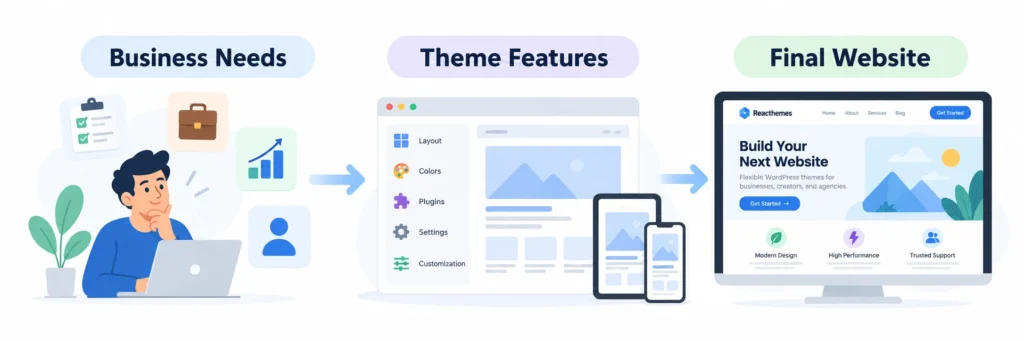
A construction company, hotel, SaaS startup, law firm, hosting company, HVAC business, and online store may all use WordPress, but their websites have completely different jobs.
For example, a hotel website may need:
- Room pages
- Availability search
- Booking functionality
- Seasonal pricing
- Photo galleries
- Location information
- Guest reviews
A consulting company may care much more about:
- Service pages
- Case studies
- Team profiles
- Lead generation forms
- Testimonials
- Appointment booking
An eCommerce business has another set of priorities entirely.
Writing these requirements down before you start shopping can save you from buying a theme packed with features you’ll never use while missing something your business genuinely needs.
A simple rule works surprisingly well:
Choose your business requirements first. Choose your theme second.
1. Look for a Theme Built for Your Industry
Technically, almost any flexible WordPress theme can be turned into almost any kind of website.
But that doesn’t mean it should be.
If you’re building an HVAC website, starting with an HVAC-focused WordPress theme will usually be much faster than turning a generic multipurpose theme into one.
Industry-specific themes often already include the pages and content structures businesses in that market need.
You may find ready-made layouts for:
- Services
- Projects
- Pricing
- Team members
- Testimonials
- FAQs
- Contact pages
- Blog posts
- Appointment forms
- Locations
The advantage isn’t just design.
A good niche theme understands the flow of that type of website.
A visitor landing on a construction website doesn’t behave exactly like someone visiting a SaaS website. Their questions, expectations, and buying process are different.
Starting with a theme that already understands your industry means fewer hours spent rebuilding everything from scratch.
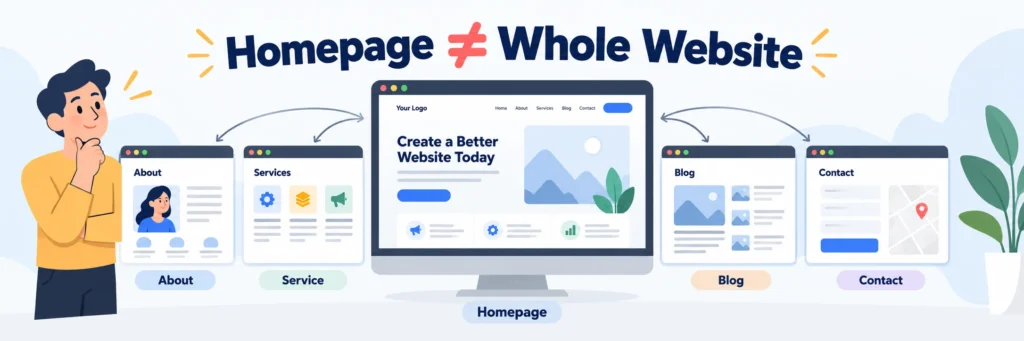
2. Don’t Judge a Theme Only by Its Homepage
This is an easy mistake to make.
Theme developers naturally put a lot of effort into homepage demos because that’s what gets people’s attention.
But your customers aren’t going to spend their entire visit on your homepage.
Before purchasing a theme, check its inner pages.
Open the:
- About page
- Service page
- Single service page
- Blog archive
- Blog article
- Contact page
- Team page
- Portfolio or project page
- Search results
- 404 page
If it’s an eCommerce theme, inspect the shop, category, cart, checkout, account, and individual product pages too.
Sometimes you’ll find a stunning homepage paired with surprisingly weak inner pages.
A business website needs consistency throughout the entire experience.
3. Check the Mobile Version Before You Fall in Love With the Desktop Version
Your theme might look beautiful on a 27-inch monitor and frustrating on a phone.
And your customers don’t care how impressive your desktop screenshot looked when they bought the theme.
They care whether they can use your website.
When testing a demo on mobile, look beyond whether the page technically “fits” the screen.
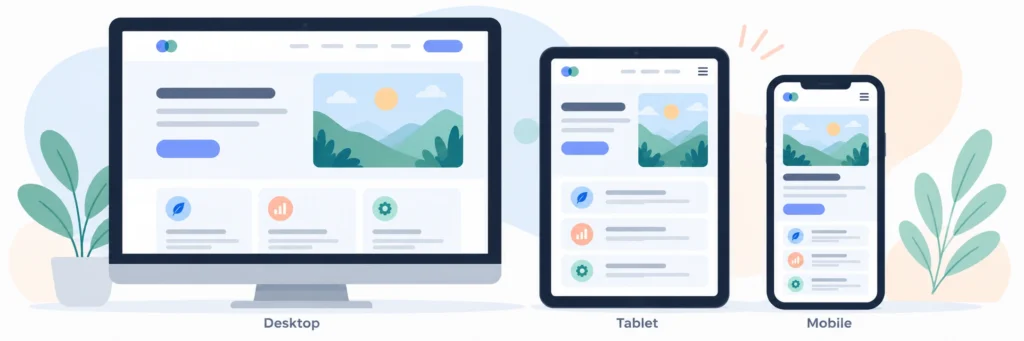
Pay attention to things such as:
- Is the text comfortable to read?
- Does the navigation open smoothly?
- Are buttons large enough to tap?
- Is there too much empty space?
- Are headings ridiculously large?
- Do images resize correctly?
- Can forms be completed easily?
- Are tables usable?
- Does important content appear too far down the page?
Google also recommends providing a good experience across mobile devices as part of overall page experience.
A responsive theme shouldn’t merely shrink your desktop design.
It should still feel like a website designed for mobile.
4. Performance Matters More Than Fancy Animation
A beautiful website that feels slow is still a bad website.
Modern WordPress themes can include sliders, animations, video backgrounds, parallax effects, carousels, popups, counters, and dozens of visual effects.
Some of these are useful.
Using all of them at once usually isn’t.
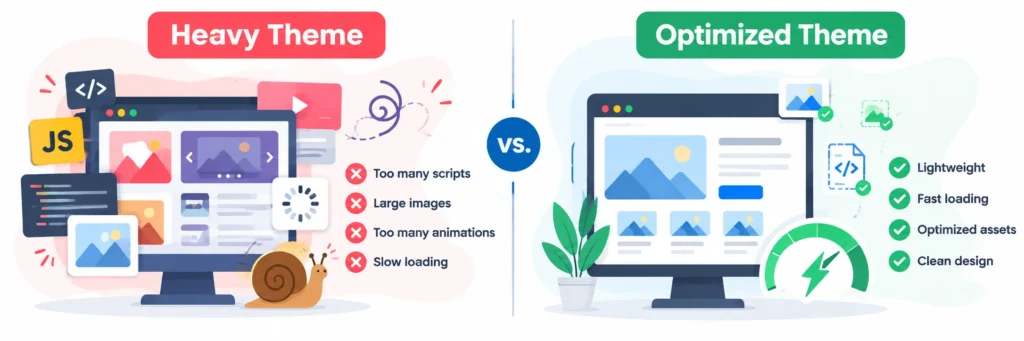
WordPress itself recommends checking that themes aren’t unnecessarily loading too many resources and suggests performance testing with tools such as PageSpeed Insights. Optimized media and appropriately handled CSS and JavaScript also matter.
Before buying a theme, test several demo pages rather than only the homepage.
You can use tools such as:
Don’t obsess over getting a perfect score from every tool.
Instead, look for obvious warning signs.
Does the demo feel slow when navigating? Does a basic service page load enormous JavaScript files? Are animations delaying interaction? Is the theme trying to load everything everywhere?
Remember that your final site’s performance will also depend on hosting, plugins, images, caching, third-party scripts, and how you configure WordPress.
The theme isn’t the only factor. But it provides the foundation.
5. Make Sure Customization Doesn’t Require a Developer for Every Small Change
Most business owners don’t want to call a developer because they need to change a button color.
A good business theme should give you reasonable control over things such as:
- Brand colors
- Typography
- Header
- Footer
- Logo
- Page layouts
- Buttons
- Spacing
- Blog layouts
At the same time, there’s a balance.
A theme with 3,000 settings isn’t automatically better than one with 300 useful settings.
Too many options can make simple tasks unnecessarily complicated.
Look for customization that feels flexible without turning your WordPress dashboard into the cockpit of an airplane.
6. Check Which Page Builder or Editor the Theme Uses
Before purchasing anything, understand how you’ll edit the website.
WordPress themes today may be built around:
- Gutenberg
- Full Site Editing
- Elementor
- Other page builders
- A combination of WordPress and custom theme options
There isn’t one answer that’s right for every business.
Elementor can be attractive when your team prefers visual drag-and-drop editing.
Gutenberg can be a good choice when you want to stay closer to WordPress’s native editing experience.
WordPress currently supports both modern block themes and classic theme architectures, with block themes allowing templates and other site areas to be edited through the Site Editor.
The important question is:
Who will manage the website after launch?
If your marketing team will regularly create pages, choose a workflow they’re comfortable using.
If your developer will control most layouts and your team only changes text and images, your priorities may be different.
7. Look Carefully at Plugin Compatibility
Themes and plugins have different jobs — themes handle design and layout, plugins handle functionality. The two need to work together without conflict, and that relationship matters more than most buyers realize before they’ve gone through a messy plugin collision.
WordPress recommends keeping site-critical functionality in plugins rather than permanently tying it to a theme. The basic idea is simple: your content and important business functionality shouldn’t disappear just because you change your website’s design later.
Before buying, think about the plugins your business is likely to need:
- Online store: WooCommerce
- Forms: Contact Form 7, Fluent Forms, WPForms, BoldForm, or another form solution
- SEO: Yoast SEO, Rank Math, All in One SEO, or similar tools
- Hotels: A hotel booking or reservation system
- Membership websites: Membership or subscription plugins
- Multilingual websites: Translation plugins
- Email marketing: Mailchimp, FluentCRM, Brevo, or other platforms
Check the theme documentation and demo carefully. If the theme already integrates with plugins you plan to use, your setup will usually be much smoother — and you’ll avoid discovering a compatibility issue after you’ve already built half the site.
8. Pay Attention to Accessibility
Accessibility isn’t something that should be added at the end of a website project.
WordPress’s theme documentation recommends considering accessibility from the beginning. Areas worth checking include color contrast, keyboard navigation, logical headings, links, forms, resizable text, and screen-reader-friendly markup.
You don’t need to become an accessibility expert before choosing a theme.
But you can spot some problems quickly.
Try navigating the demo using only your keyboard. Look at the contrast between text and backgrounds. Zoom the page. Check whether menus, forms, and interactive elements are understandable.
A website should work for as many people as reasonably possible — and that’s good design, not just compliance.
9. Look at the Theme’s Update History
This is one of the things buyers often ignore.
A theme isn’t finished when it’s released.
WordPress changes. PHP changes. Browsers change. Plugins change. Security practices change.
A theme that worked perfectly several years ago may eventually need updates to stay compatible with the rest of your website.
Before buying, check:
- When was the theme last updated?
- Does the developer release updates regularly?
- Is the theme compatible with recent WordPress versions?
- Is the developer still actively supporting it?
- Is there documentation for recent changes?
You aren’t just purchasing a ZIP file.
You’re also choosing the company that will maintain the product behind it.
10. Support Quality Can Matter More Than the Number of Features
Sooner or later, you’re probably going to have a question.
Maybe demo import doesn’t work. Maybe a plugin conflicts with something. Maybe a layout isn’t behaving the way you expected. Maybe you simply can’t find a setting.
Good support can turn a frustrating afternoon into a five-minute solution.
Before purchasing, check whether the developer offers clear documentation and reliable WordPress theme support.
- Support policy
- Documentation
- Knowledge base
- Video tutorials
- Customer comments
- Update history
- Response quality
Don’t evaluate support only by how quickly someone answers.
The quality of the answer matters just as much.
11. Avoid Choosing a Theme Because It Has “500+ Features”
Big numbers sell themes. They don’t necessarily build good websites.
A theme may advertise 70+ demos, 200+ widgets, 1,000 options, and 50 header styles. That can sound impressive.
But ask yourself how many of those things your website actually needs.
If your company needs six strong pages, fast performance, good mobile usability, and a clear contact journey, then 500 additional settings aren’t necessarily adding value. In some cases they’re simply adding complexity.
A better question is:
Does this theme have the features that matter to my business?
That’s a much more useful metric.
12. Look for Real Business Elements, Not Just Decorative Sections
Some website demos look beautiful because they’re filled with impressive stock photos and dramatic typography.
Replace those images with ordinary business content and suddenly the design isn’t nearly as convincing.
Look at the practical parts.
How does the theme handle:
- Service descriptions?
- Pricing tables?
- Testimonials?
- Calls to action?
- Contact details?
- Office locations?
- Business hours?
- FAQs?
- Team members?
- Case studies?
- Forms?
These sections actually help visitors make decisions.
Your website’s purpose isn’t to impress another web designer.
Its purpose is to help your customer move forward.
13. Check Whether You Can Grow With the Theme
Your website today may only need a homepage, about page, a few services, a blog, and a contact page.
Six months from now, you might need a second location, WooCommerce, landing pages, case studies, appointment booking, new service categories, or a larger content section.
You don’t need to prepare for every imaginable future scenario.
But don’t choose something so restrictive that your first meaningful business change requires rebuilding the entire website.
A good theme should give you room to grow.
14. Read the Documentation Before Buying
Yes, before.
Most people only open documentation after something goes wrong.
Reading it beforehand tells you quite a lot about the quality of a WordPress product.
Look for documentation covering:
- Installation
- Demo import
- Theme setup
- Required plugins
- Customization
- Updates
- Common issues
Clear documentation is often a good sign that the developers understand the product they’ve built and the customers using it.
WordPress’s own theme guidance also recognizes documentation as an important part of preparing and maintaining quality themes.
15. Consider the Total Cost, Not Just the Purchase Price
Suppose Theme A costs $39 and Theme B costs $59.
Theme A looks cheaper.
But Theme A requires another premium plugin, three hours of customization, and a developer to recreate the page you actually wanted.
Theme B already includes the layout and integrations you need.
Which one was cheaper?
The purchase price is only one part of the cost.
Think about:
- Setup time
- Required plugins
- Developer costs
- Renewal costs
- Maintenance
- Future customization
Saving $20 on a theme doesn’t mean much if it creates an extra $500 of work.
Free vs Premium WordPress Themes: Which Should a Business Choose?
Free WordPress themes can be excellent. Many themes in the official WordPress.org repository are well-coded, actively maintained, and perfectly capable of powering a professional business site. For personal projects, simple blogs, early-stage startups, or businesses with straightforward requirements, a good free theme may be all you need.
The limitations usually show up in specific areas rather than overall quality.
Free themes often have fewer demo templates, less flexibility in customization, limited or community-only support, and slower feature development. That may not matter at all for your use case — or it may be exactly what holds you back.
Premium themes become worth considering when:
- You need polished, industry-specific demos that save real setup time
- Your design requirements go beyond what free customization options can handle
- You need reliable, dedicated support rather than forum threads
- The theme integrates with commercial plugins your business depends on
- Regular feature updates matter to your workflow
The honest answer is this: don’t buy premium because it sounds more serious. Buy it when the additional design quality, support access, or time saved on setup clearly justifies the cost for your specific project. Sometimes that’s immediately obvious. Sometimes a free theme is genuinely the smarter choice.
A Simple Checklist Before Buying a WordPress Theme
If you still aren’t sure how to choose the right WordPress theme, use the checklist below before making your final decision.
Business fit — Does the theme match your industry and website goals?
Inner pages — Are the service, blog, contact, archive, and other important pages well designed?
Mobile experience — Have you actually tested the demo on a phone?
Performance — Does the theme feel fast, and have you tested a few pages?
Editing experience — Can your team comfortably update the website?
Plugin compatibility — Does it work with the plugins your business depends on?
Accessibility — Can visitors navigate and understand the interface comfortably?
Updates — Is the theme still actively maintained?
Documentation — Can you find clear setup instructions?
Support — Is there a reliable way to get help?
Scalability — Can the website grow as your business grows?
If a theme passes those checks, you’re probably looking at a much stronger candidate.
What We Focus on When Building WordPress Themes at ReacThemes
At ReacThemes, we’ve worked on WordPress themes for different types of businesses, from consulting and hosting to hotels, construction companies, HVAC services, and other professional industries.
One lesson becomes clearer with every product:
A theme has to work beyond the demo screenshot.
That’s why we focus heavily on practical layouts businesses can actually use — service pages, project sections, blog designs, contact journeys, responsive layouts, reusable elements, and integrations with the WordPress tools people already work with.
We also try to give users enough flexibility to make a website their own without forcing them to rebuild every section from zero.
Because ultimately, a business shouldn’t have to adapt itself to a WordPress theme.
The theme should adapt to the business.
Final Thoughts
There probably isn’t one universally “best” WordPress theme.
There is, however, a theme that’s better suited to your particular business, workflow, customers, and plans.
Don’t make your decision based on the homepage screenshot alone.
Look deeper. Test the mobile version. Open the inner pages. Think about the plugins you’ll need. Check performance. Look at updates and documentation.
And most importantly, ask whether the theme will help you build the website your customers actually need.
A beautiful design gets someone’s attention.
A fast, usable, well-structured website helps turn that attention into business.
Choose accordingly.
Learning how to choose the right WordPress theme isn’t about finding the one with the most features. It’s about finding the one that best supports your business goals, customers, and future growth.