


Elementor widgets are essential tools that help you design, customize, and optimize your website without coding. The most important Elementor widgets include headings, images, buttons, forms, testimonials, pricing tables, and sliders—each playing a key role in improving user experience, engagement, and conversions.
If you want a professional, high-performing website, using the right Elementor widgets is not optional—it’s critical.
What Are Elementor Widgets?

Elementor widgets are individual content elements used within Elementor to design and build web pages visually. Each widget serves a specific purpose such as adding text, images, buttons, or videos, and can be easily dragged and dropped onto a page. They allow users to create structured layouts without needing coding knowledge, making website design more accessible and flexible.
These widgets come with customizable settings, enabling users to adjust styles, colors, spacing, and functionality according to their needs. Elementor provides a range of basic widgets in its free version, while more advanced features—like forms, sliders, and dynamic content—are available in Elementor Pro. Overall, widgets act as the core building blocks that help users create professional and interactive websites efficiently.
15 Must-Have Elementor Widgets for Every Website
Here are 15 must-have Elementor widgets you should use to build a modern, effective website with Elementor.
1. Heading widget
The Heading widget is essential for structuring your content. It helps create clear titles and subheadings, improving readability and SEO. Search engines rely on headings (H1, H2, etc.) to understand your page, so using this widget properly boosts visibility and user experience.
2. Text editor widget
This is where most of your content lives. It allows you to add paragraphs, links, and basic formatting. A well-structured text section keeps visitors engaged and communicates your message clearly.
3. Image widget
Images make your website visually appealing and help break up text. This widget allows you to upload images, add captions, and control alignment and size. Optimized images can also improve loading speed and SEO.
4. Button widget
Buttons are crucial for conversions. Whether it’s “Buy Now,” “Learn More,” or “Contact Us,” this widget helps guide users toward taking action. You can customize colors, shapes, and hover effects to match your branding.
5. Video widget
The Video widget lets you embed content from platforms like YouTube. Videos increase engagement, explain products better, and keep visitors on your site longer.
6. Spacer widget
It might seem simple, but spacing is key in design. The Spacer widget helps create breathing room between elements, improving readability and overall layout balance.
7. Divider widget
Dividers visually separate sections of content. They make your page easier to scan and give it a clean, professional look.
8. Image carousel widget
This widget lets you display multiple images in a sliding format. It’s perfect for portfolios, product galleries, or showcasing testimonials without cluttering the page.
9. Icon box widget
Icon Box combines icons with text to highlight features or services. It’s commonly used to present key benefits in a visually engaging way.
10. Testimonials widget
Social proof builds trust. This widget allows you to showcase customer reviews, helping convince visitors that your product or service is reliable.
11. Form widget (Pro)
One of the most powerful widgets in Elementor Pro. It lets you create contact forms, lead generation forms, and surveys. You can connect it with email marketing tools to collect and manage leads.
12. Pricing table widget (Pro)
Perfect for businesses offering services or subscriptions. It presents pricing plans clearly, helping users compare options and make decisions quickly.
13. Call to action widget (Pro)
This widget combines text, images, and buttons to encourage users to take action. It’s ideal for promotions, offers, or important announcements.
14. Posts widget (Pro)
The Posts widget dynamically displays blog posts from your WordPress site. It’s great for keeping your homepage updated with fresh content.
15. Social icons widget
This widget connects your website to your social media profiles. It helps increase your online presence and makes it easy for visitors to follow or contact you through different platforms.
Why These Elementor Widgets Matter for SEO & Conversions
Elementor widgets are not just visual building blocks—they directly influence how your website ranks on search engines and how effectively it converts visitors into customers. When used strategically, they bridge the gap between design, user experience, and performance, which are all critical ranking and conversion factors.
Improved on-page SEO structure
Elementor widgets like headings, text editors, and image boxes help create a clean and well-structured page layout. Search engines rely heavily on structured content to understand context and relevance. By properly using H1, H2, and H3 widgets, you make it easier for search engines to crawl and index your pages.
Widgets also allow you to optimize content with keywords, internal links, and schema-friendly formatting. This improves your chances of ranking higher without needing complex coding or external tools.
Faster page load speed and performance
Speed is a confirmed ranking factor, and Elementor widgets play a major role here. Lightweight and optimized widgets reduce unnecessary code bloat, ensuring faster loading times. Faster websites not only rank better but also reduce bounce rates significantly.
When users don’t have to wait, they’re more likely to stay, explore, and take action—whether that’s clicking a button or making a purchase.
Better user experience (UX) and engagement
Widgets like tabs, accordions, sliders, and carousels make content interactive and easier to consume. A well-designed layout keeps users engaged and encourages them to spend more time on your site.
Search engines interpret longer session durations and lower bounce rates as positive signals. This means your rankings improve naturally as user engagement increases.
Higher conversion rates with strategic CTAs
Call-to-action widgets such as buttons, forms, and countdown timers are designed to drive user action. Elementor allows you to place these elements exactly where they have the highest impact.
For example, placing a CTA after a compelling section or using urgency-based widgets like countdown timers can significantly boost conversions. The easier it is for users to take action, the higher your conversion rate will be.
Mobile responsiveness and SEO impact
A large portion of web traffic comes from mobile devices, and Elementor widgets are built to be fully responsive. You can customize how each widget appears on mobile, tablet, and desktop.
Since search engines prioritize mobile-first indexing, having responsive widgets ensures your site performs well across all devices—improving both SEO rankings and user satisfaction.
Reduced bounce rate through visual hierarchy
Widgets help create a strong visual hierarchy, guiding users through your content naturally. Features like spacing, columns, icons, and highlighted sections make information easier to scan.
When visitors quickly find what they’re looking for, they’re less likely to leave your site immediately. This reduction in bounce rate sends strong positive signals to search engines.
Built-in conversion-focused features
Many Elementor widgets are specifically designed for conversions. Forms with multi-step options, testimonials, pricing tables, and social proof widgets build trust and reduce friction in the buyer journey.
These elements work together to turn visitors into leads or customers without needing additional plugins.
Why Easy Elements Matters
Easy Elements enhances Elementor with powerful, conversion-focused widgets that are built for speed and performance. It helps you create better layouts, improve SEO with a clean structure, and load pages faster without extra plugins.
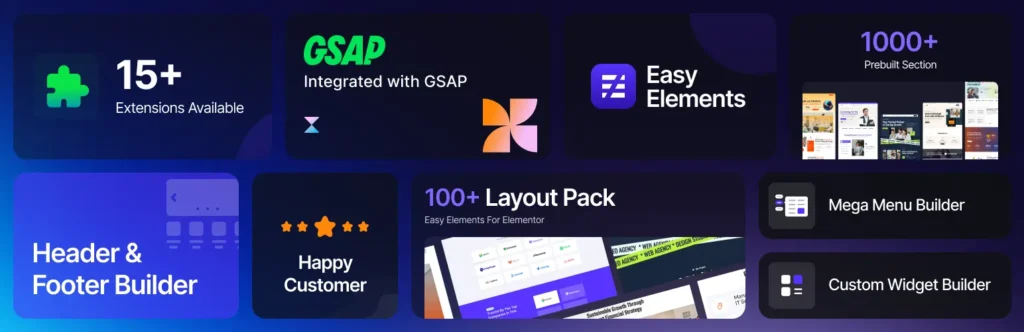
The widgets are designed to drive action, whether it’s clicks, leads, or sales—while keeping your site lightweight and easy to manage. In short, it helps you build faster, rank better, and convert more with less effort.
Final Thoughts
The difference between an average website and a high-performing one often comes down to the widgets you use. By focusing on these must-have Elementor widgets, you ensure your site is not only visually appealing but also optimized for speed, SEO, and conversions.
If you’re serious about growing your website, start with these essentials and build smarter, not just prettier.